A lightweight driver for SSD1306, SSD1315, and SSH1106 OLED displays. Built for ATtiny85 and other memory-constrained AVR microcontrollers. Uses a custom I2C bit-banging implementation (based on TinyI2C) instead of the Wire library, saving about 1 KB of flash.
Originally written by Neven Boyanov and the Tinusaur team.
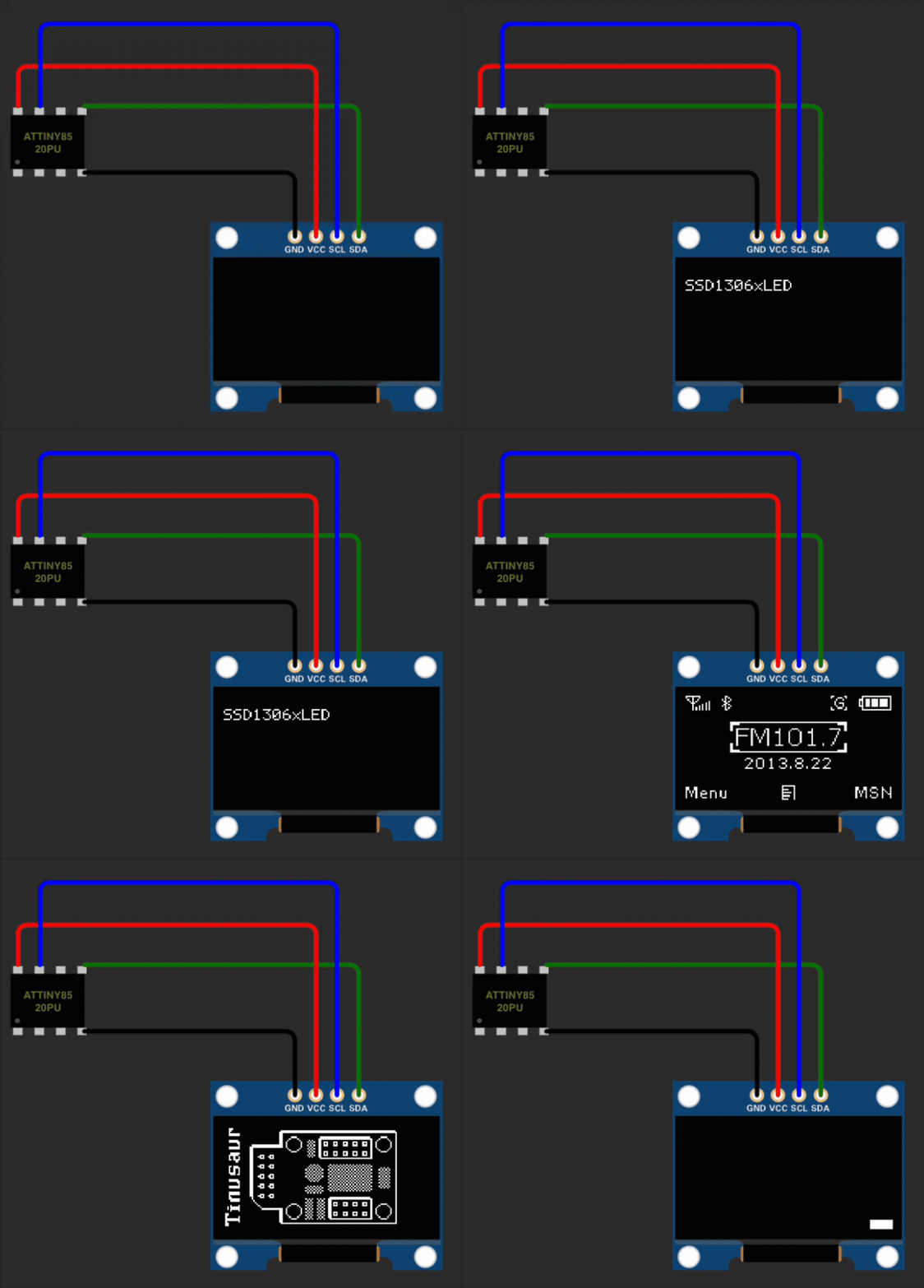
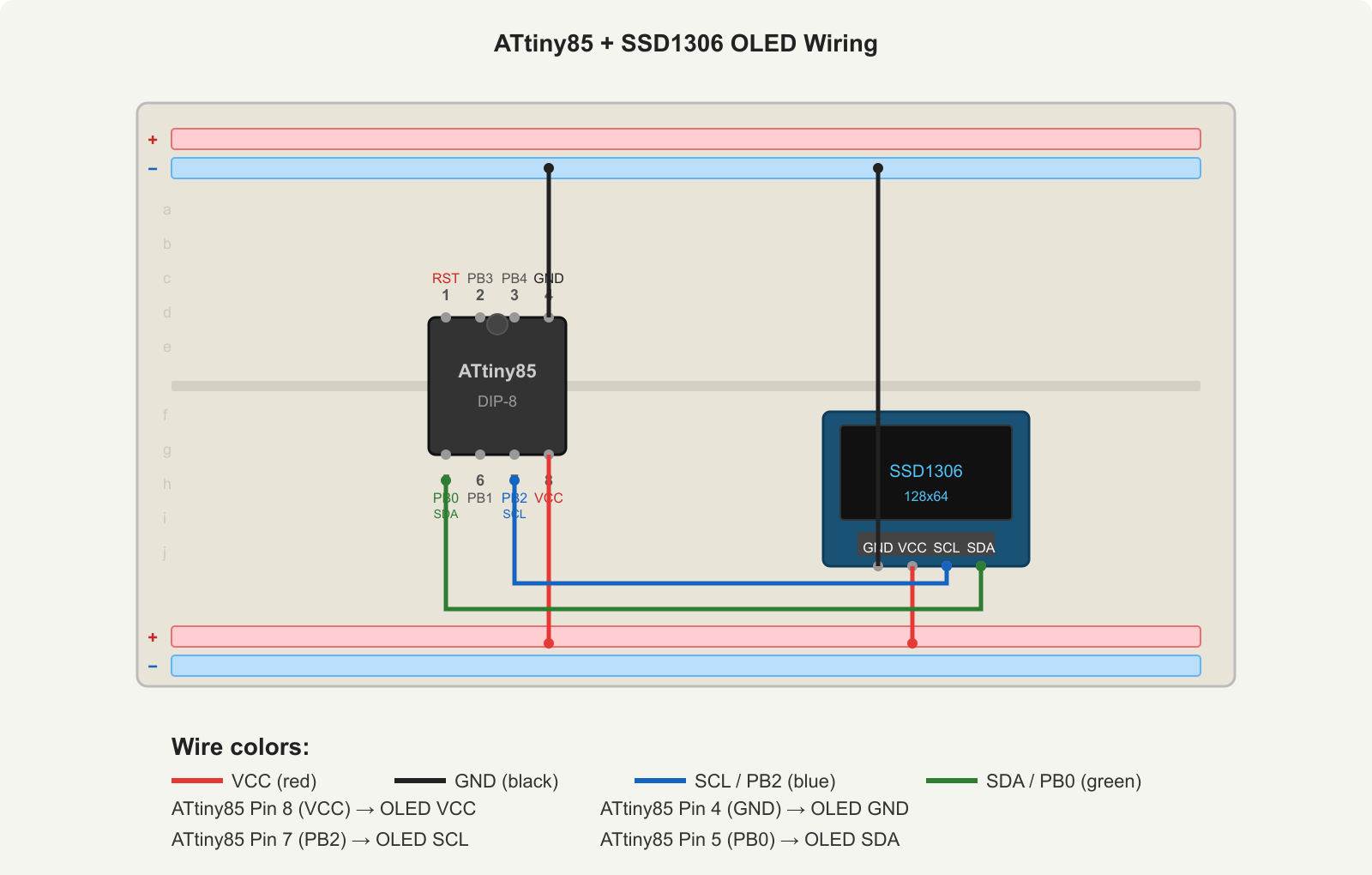
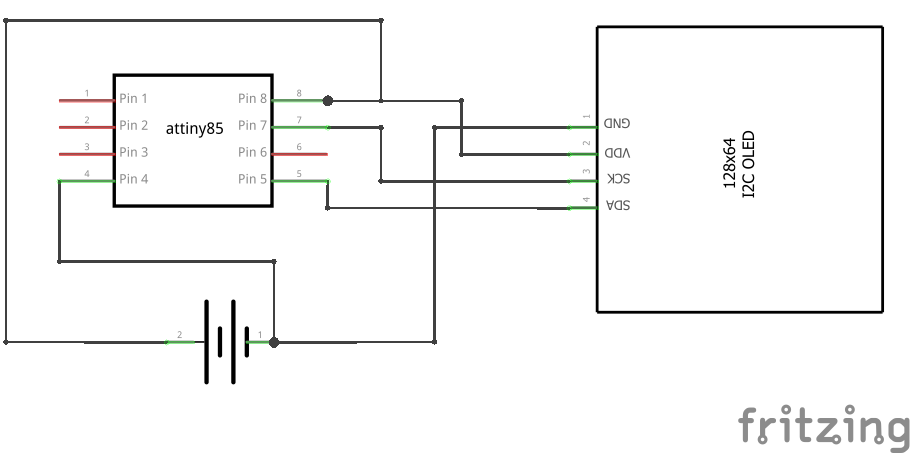
Wiring (ATtiny85)
| OLED | ATtiny85 |
|---|---|
| VCC | VCC |
| GND | GND |
| SCL | PB2 |
| SDA | PB0 |
Installation
PlatformIO
Or add it to your platformio.ini:
You can also browse the library on the PlatformIO registry.
Arduino IDE
Open Tools > Manage Libraries, search for ssd1306xled, and click Install.
Manual
Download the latest .zip from the releases page.
For Arduino IDE:
Open Sketch > Include Library > Add .ZIP Library and select the downloaded file. Arduino will copy it into your libraries folder automatically.
If you prefer doing it by hand, unzip and move the folder to your Arduino libraries directory (usually ~/Arduino/libraries/ on Linux/macOS or Documents\Arduino\libraries\ on Windows). Restart the IDE afterward.
For PlatformIO:
Unzip the release into your project's lib/ directory so the layout looks like this:
PlatformIO picks up anything inside lib/ automatically – no extra configuration needed.
Quick start
This clears the screen and prints "Hello world!" on the second row using the 6x8 font.
Try it online
You can run these demos in your browser without any hardware using the Wokwi simulator:
- SSD1306xLED demo – cycles through fill patterns, text rendering, and full-screen bitmaps on the OLED. A quick way to see what the library can do.
- Fur Elise – plays Beethoven's Fur Elise on a piezo buzzer while showing note names and a pitch bar on the display. Fits in 2.5 KB of flash.
- Pong – a playable Pong game. Drag the slide potentiometer to move your paddle, press the button to start. The AI is beatable. 3.1 KB of flash.
- Digital Pet – a Tamagotchi-style virtual pet. Press the button to feed it, drag the potentiometer to play with it. Keep both bars up or it falls asleep. 3 KB of flash.
More examples (including three retro games) are in the examples/ directory. See the simulation guide for running them locally with Wokwi.
Documentation
Full API reference, architecture guide, feature flags, and examples are available on the documentation site:
https://tejashwikalptaru.github.io/ssd1306xled/
Changelog
See CHANGELOG.md for a complete version history.
Contributing
Found a bug or want to add something? Fork the repo and open a pull request with your changes.
Credits
- Neven Boyanov / Tinusaur – original SSD1306 driver
- David Johnson-Davies / TinyI2C – I2C implementation
License
[MIT](LICENSE)
